The 6-Artifact Challenge: What Actually Happened Here?
No PCAP. No full disk. No luxury. Just six artifacts from endpoint and network telemetry. Your job: reconstruct the kill chain and decide what to do next. In this analyst challenge, I’ll give you the evidence first, then walk through the reconstruction step-by-step—what mattered, what was noise, and what I’d hunt for across the fleet.

The challenge
You’re on shift. A single workstation is “acting weird,” but you don’t have full forensics yet—just a handful of artifacts someone pulled from EDR and proxy logs.
No sandbox report. No reverse engineering. No time.
You have six artifacts.
Reconstruct the kill chain: initial access → execution → persistence → command and control → objective.
Then decide: contain now, or investigate further?
The six artifacts
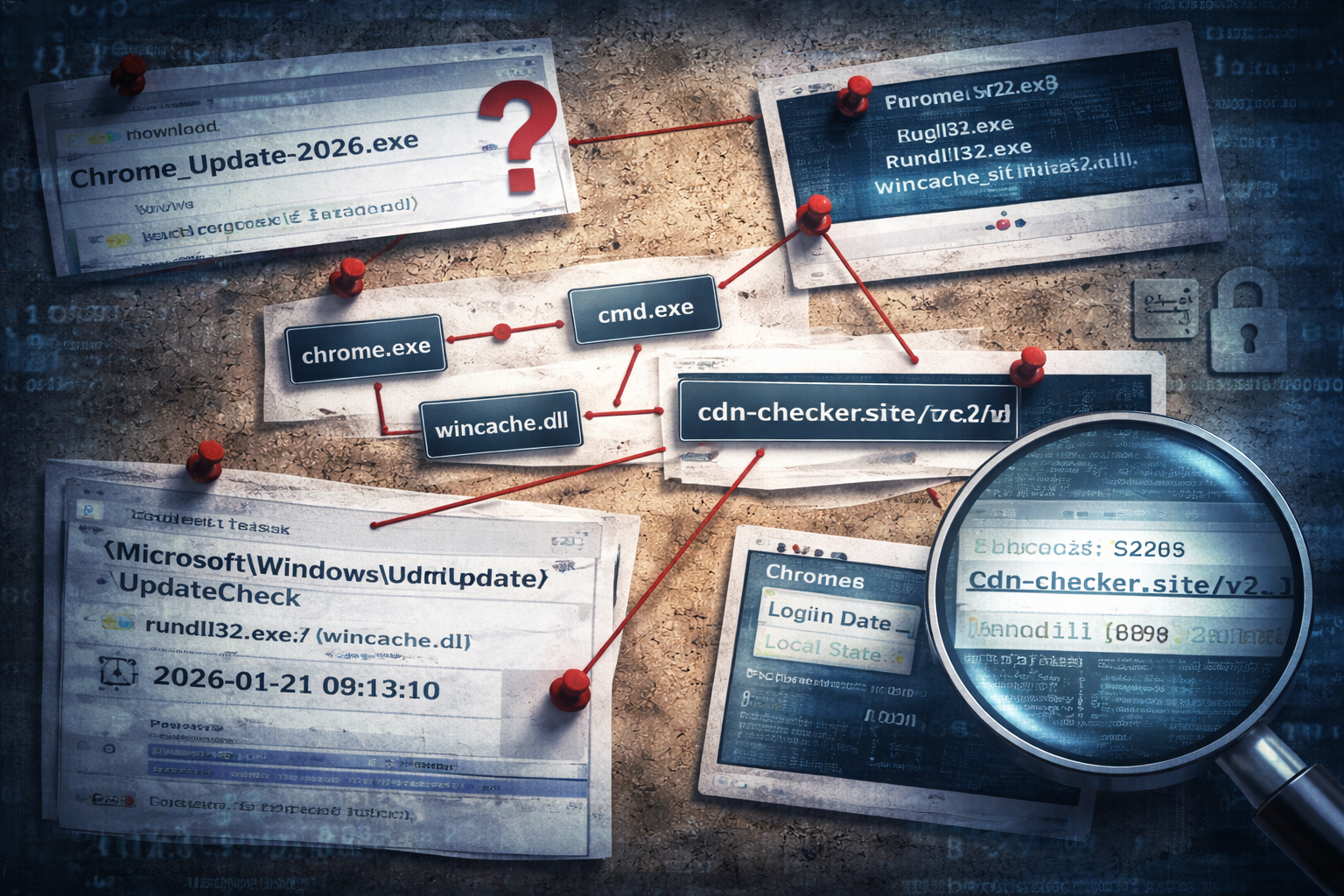
Artifact 1 — Download event
A file was written to:
C:\Users\<user>\Downloads\Chrome_Update_2026.exe
File metadata:
- Signed: No
- MOTW (Mark-of-the-Web): Present
- First seen: 09:12:04
Artifact 2 — Process chain
At 09:12:22, the following chain executed:
chrome.exe(user browsing)
→Chrome_Update_2026.exe
→cmd.exe /c powershell -w hidden -enc <base64>
→rundll32.exe C:\Users\<user>\AppData\Roaming\WinCache\wincache.dll,Start
Artifact 3 — New file write
At 09:12:31, a DLL appeared:
C:\Users\<user>\AppData\Roaming\WinCache\wincache.dll
Artifact 4 — Persistence
At 09:13:10, a scheduled task was created:
- Task name:
\Microsoft\Windows\Update\UpdateCheck - Trigger: At logon
- Action:
rundll32.exe "<user>\AppData\Roaming\WinCache\wincache.dll",Start
Artifact 5 — Network beacon
Starting 09:13:19, the host contacted:
hxxps://cdn-checker[.]site/v2/connect?id=<redacted>
Pattern:
- Repeats every ~60 seconds
- Same URI structure
- Small responses
Artifact 6 — Post-beacon file access
At 09:16:02, EDR recorded access to:
...\Chrome\User Data\Default\Login Data...\Chrome\User Data\Local State
Stop here and take a guess
Before reading further, answer these:
1) What’s the likely initial access?
2) What is the execution method?
3) What is persistence?
4) What’s the objective?
5) What’s your immediate response action?
If your gut says “fake update → loader → credential theft,” you’re probably already seeing the shape.
Now let’s reconstruct it properly.
Reconstruction: what happened (and why)
Step 1 — Initial access: social engineering, not exploitation
Artifact 1 is the whole story in one line: a file named like an update landing in Downloads with MOTW present.
MOTW matters because it tells you the file arrived via:
- browser download, email attachment, or internet zone source
This is not a “mystery compromise.” It’s likely a user-executed payload.
Kill chain stage: Initial Access (User Execution / Social Engineering)
Step 2 — Execution: “installer” to PowerShell to DLL
Artifact 2 shows a classic transition:
- user clicks “update”
- payload launches PowerShell hidden
- PowerShell leads to DLL execution via
rundll32
That middle hop (cmd.exe /c powershell -enc) is a common bridge:
- it avoids dropping obvious EXEs immediately
- it can stage payloads quietly
- it’s fast
Kill chain stage: Execution (Scripted staging + LOLBin proxy execution)
Step 3 — Payload staging: the DLL is the real actor
Artifact 3 appears right after PowerShell runs.
You don’t need to reverse the DLL to make a high-confidence operational call here. A new DLL in a user-writable folder + immediate rundll32 execution is not normal software behavior.
Kill chain stage: Payload delivery / staging
Step 4 — Persistence: scheduled task built to look “Windows-ish”
Artifact 4 is the persistence mechanism.
A task name under \Microsoft\Windows\Update\... is deliberate:
- it blends in
- it looks legitimate at a glance
- it survives reboot/logoff
- it’s reliable
The action points directly at the same DLL export used during initial execution. That is clean, minimal, and consistent with loader design.
Kill chain stage: Persistence
Step 5 — C2: regular beacons with stable URI pattern
Artifact 5 has the hallmark of command-and-control:
- periodic, consistent cadence
- stable URI structure
- small server responses
Not all periodic traffic is malicious, but in context—immediately following suspicious execution and persistence—this is not “telemetry.”
Kill chain stage: Command and Control
Step 6 — Objective: credential access via browser stores
Artifact 6 is the objective signal.
Access to:
Login Data(credentials database)Local State(key material references / encryption context)
…after beaconing begins is strongly consistent with:
- credential theft workflow
- stealer-style collection
- or an operator collecting browser data for follow-on access
Kill chain stage: Credential Access / Collection
Final assessment
This is most consistent with a fake browser update delivering a loader that establishes persistence via scheduled task, initiates C2, and performs browser credential collection shortly after, likely for account takeover or access brokerage follow-on activity.
Even if you never identify the malware family name, your response can be correct and timely.
The decision: contain now, or investigate?
This is where analysts sometimes hesitate because they want “proof.”
You already have proof of hostile behavior:
- user-executed internet-delivered binary
- hidden PowerShell
- DLL executed by rundll32 from user profile
- persistence via task
- beaconing to new domain
- access to credential stores
That’s enough.
Immediate actions I would take
1) Isolate the host (or at minimum restrict egress immediately)
2) Capture volatile triage data (process tree, task XML, network connections)
3) Reset credentials for the user (and review privileged access exposure)
4) Block the domain/URI pattern via change control
5) Scope: hunt enterprise-wide for the scheduled task + DLL path + rundll32 pattern
Fleet-wide hunt: the three pivots that matter
If you have to choose only three hunts:
1) Scheduled task name pattern:
\Microsoft\Windows\Update\UpdateCheck(or similar “Update” camouflage)
2) rundll32 execution from user-writable paths:
...\AppData\Roaming\......\AppData\Local\Temp\......\Downloads\...
3) Network pattern:
- same domain
- same
/v2/connect?id=style path - periodic cadence
Those three catch “siblings” of the same intrusion quickly.
Field Notes
Host
- Download path + MOTW status
- PowerShell encoded command usage
- New DLL in Roaming + immediate execution
- Scheduled task action pointing to user-writable DLL
Network
- First-seen domain
- Stable URI structure
- Regular cadence around 60 seconds
Detection ideas
- Correlate: internet-delivered execution → hidden PowerShell →
rundll32from user profile → task creation - Alert: scheduled task created with action pointing to user-writable paths
- Hunt: browser credential store access following new C2 beacon pattern
Your turn
If you want to sanity-check your reconstruction skills, try rewriting this case as:
- a 5-minute leadership brief, and
- a SOC advisory with three specific hunts
Same evidence. Different product. Same outcome: fast containment.