Rundll32: Five Command Lines That Should Trigger Triage
rundll32.exe is a legitimate Windows binary, which is exactly why it gets abused. Most rundll32 execution is normal. Some is a gift-wrapped incident waiting to happen. This post lists five high-signal rundll32 command-line patterns I treat as 'stop and look', why they matter, and what to check next.

rundll32 is not the problem. Context is.
rundll32.exe exists to run exported functions inside DLLs.
That is a legitimate Windows capability. It is also a perfect abuse primitive:
- it blends into normal Windows process lists
- it provides a clean way to execute code inside a DLL
- it is frequently allowed where unknown binaries are not
Most organizations log rundll32 but do not operationalize it. The result is either:
- too many alerts, so it gets ignored, or
- no alerts, so it gets missed.
This post is the middle ground: five command-line patterns that are high-signal in real environments.
Not “rundll32 is scary” - but “these specific shapes deserve attention”.
Ground rules before we start
- A single command line is rarely proof by itself.
- The goal is to identify patterns that are suspicious enough to justify quick triage.
- The triage is always: where is the DLL, who spawned it, what happened next.
Pattern 1: rundll32 executing a DLL from a user-writable path
The shape
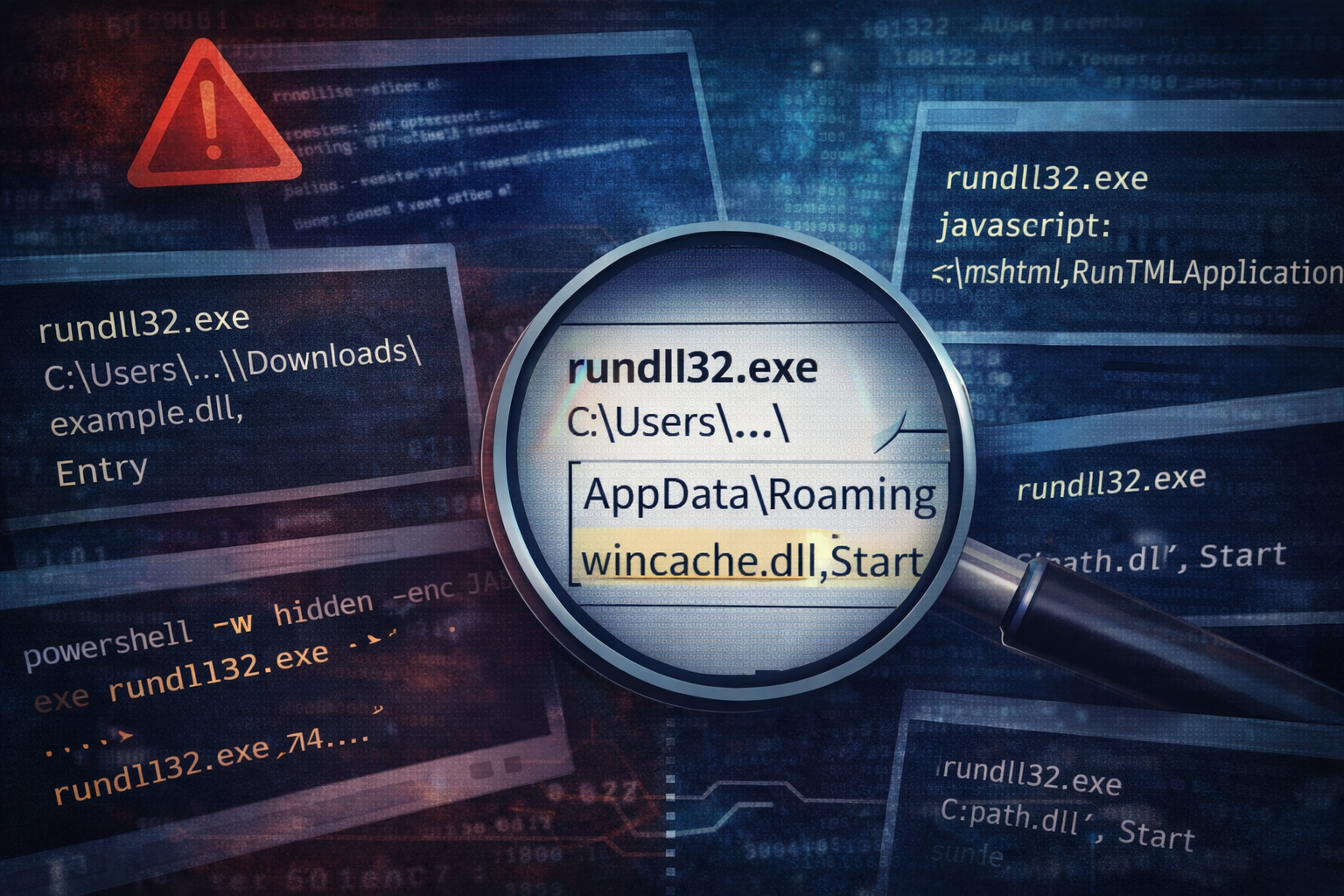
rundll32.exe C:\Users\<user>\AppData\Roaming\<folder>\<name>.dll,<Export>rundll32.exe C:\Users\<user>\Downloads\<name>.dll,<Export>rundll32.exe C:\Users\<user>\AppData\Local\Temp\<name>.dll,<Export>
Why I stop
Legitimate DLL execution via rundll32 usually references:
- system directories (
System32) - installed vendor directories (
Program Files) - known application paths
When it runs a DLL out of a user profile folder, that often means:
- the DLL was dropped by a staged payload
- it is running without admin rights
- it is part of a loader chain
What I check next
- Was the DLL created recently?
- Does it have MOTW? (Zone.Identifier)
- What created it? (parent process and file write lineage)
- Did persistence appear shortly after?
Pattern 2: rundll32 with “javascript:” or scriptlet-like invocation
The shape (examples)
rundll32.exe javascript:"\..\mshtml,RunHTMLApplication";...rundll32.exe vbscript:...
Why I stop
This is an old technique, but it still shows up because it works in environments that do not constrain LOLBins.
It is designed to:
- execute script content via a trusted binary
- bypass naive application allow lists
- make the initial execution look “Windows-y”
What I check next
- What is the parent process? (email client, browser, Office, wscript, mshta)
- Are there related script files written to Temp?
- Is there outbound network activity starting shortly after?
Pattern 3: rundll32 calling a generic export name from a random DLL
The shape
...,Start...,Run...,Init...,Update...,Entry
Why I stop
Export names like “Start” are not inherently malicious. But when you see:
- a new DLL in an unusual folder
- executed via rundll32
- with a generic export name
…it often indicates:
- loader frameworks designed for simplicity
- malware authors keeping exports predictable across builds
In benign software, export names are often more specific to functionality.
What I check next
- Is the DLL signed?
- Is the export consistent across multiple endpoints? (campaign clue)
- Does the scheduled task / Run key reference the same export?
Pattern 4: rundll32 launched by PowerShell (especially encoded or hidden)
The shape
powershell.exe -w hidden -enc ...thenrundll32.exe ...cmd.exe /c powershell ...thenrundll32.exe ...
Why I stop
This is a common chain in loader infections:
- stage with PowerShell (download/decode)
- drop DLL
- execute via rundll32
- establish persistence
- begin beaconing
In other words: this is often the point where “user clicked something” becomes “intrusion”.
What I check next
- any downloads or web requests by PowerShell
- the dropped file path and creation time
- immediate creation of scheduled tasks or Run keys
- first-seen outbound domains after execution
Pattern 5: rundll32 with odd quoting, comma tricks, or malformed paths
The shape
- weird quoting:
rundll32.exe "C:\path\file.dll",Start - excessive escaping
- strange commas or whitespace designed to break parsing
- paths that visually look like system paths but are not (lookalike folders)
Why I stop
This pattern is not about the DLL - it is about intent.
Attackers frequently manipulate command lines to:
- defeat simplistic detections
- confuse analysts and tooling
- hide the true DLL path in plain sight
When the command line looks “crafted”, treat it like it was crafted.
What I check next
- Normalize the command line and extract the true DLL path
- Check for Unicode/lookalike characters (rare, but real)
- Validate the directory is actually what it claims to be
- Determine whether the same pattern appears elsewhere in the fleet
Quick triage flow (what I do after seeing a stop-and-look pattern)
1) Identify the DLL path and hash it 2) Check location reputation (user profile vs system/vendor) 3) Check creation time (newly dropped is a strong signal) 4) Inspect parent process chain (browser, Office, PowerShell, cmd, mshta) 5) Look for the two follow-ons that matter:
- persistence (scheduled tasks, Run keys)
- C2 (new domains, periodic outbound)
You can do all of that before reversing anything.
Why this matters: rundll32 is often the “hinge point”
In a lot of real incidents, rundll32 is the hinge between:
- delivery and execution
- execution and persistence
- persistence and command-and-control
If you catch the hinge, you stop the chain early.
Detection ideas (without detonating your alert queue)
If you alert on rundll32 broadly, you will drown.
Alert on rundll32 plus context, such as:
- DLL executed from user-writable paths
- rundll32 spawned by PowerShell/cmd/mshta
- rundll32 followed by scheduled task creation within 10 minutes
- rundll32 followed by first-seen domain contact within 10 minutes
That correlation is where signal lives.
Artifact Annex (field notes)
High-signal pivots
- Parent process of rundll32
- DLL path (user-writable or not)
- DLL creation timestamp and signer status
- Export name used
- Subsequent persistence artifacts (task XML, Run key values)
- First-seen outbound destinations after execution
Hunting queries (conceptual)
- rundll32 where DLLPath startswith
C:\Users\AND ExportName in (Start,Run,Init) - rundll32 spawned by powershell OR cmd
- rundll32 executions followed by task creation within 10 minutes